AI product photo background changer
Use the AI product photo background changer to move a product into a new setting by uploading its packshot, naming the details to preserve and describing the surface and light around it.
Last updatedSneaker cutout to golden-hour lifestyle photo
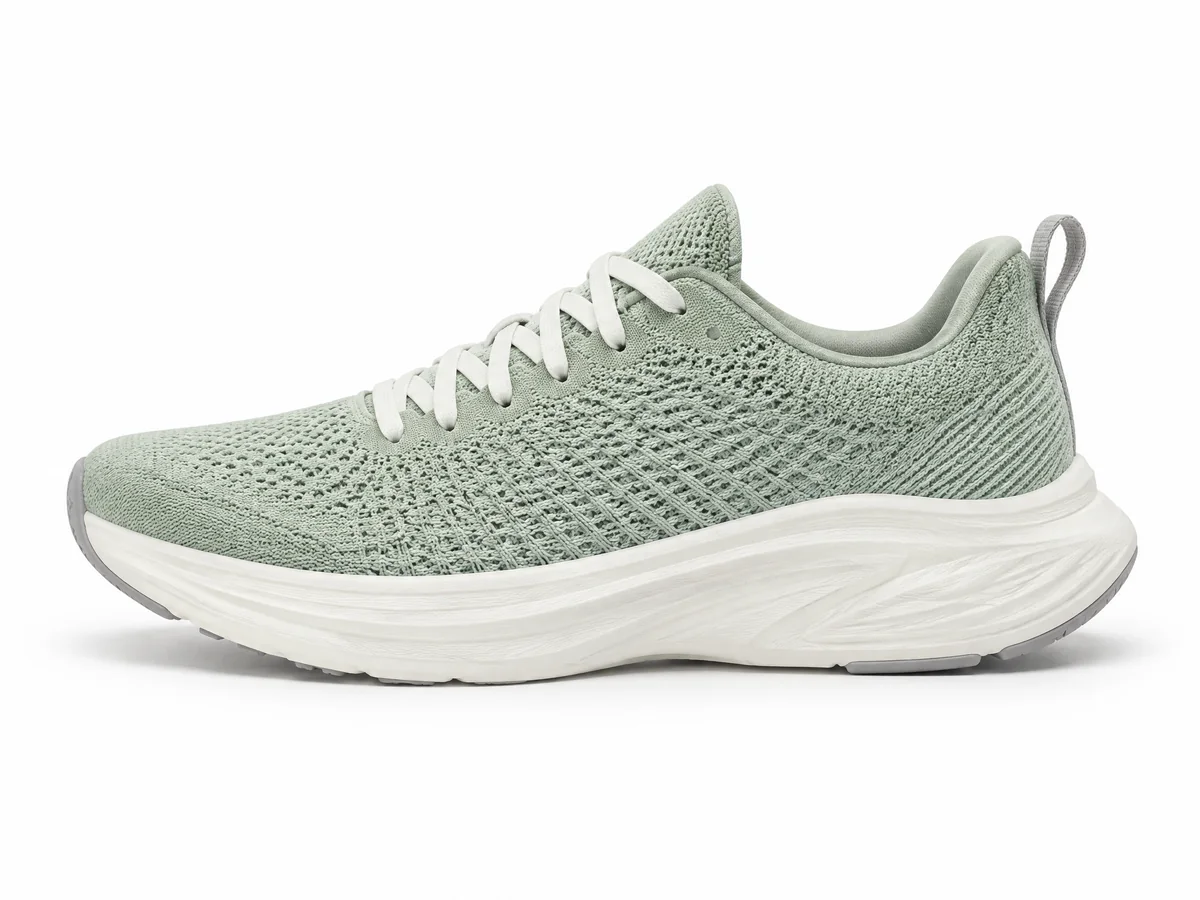
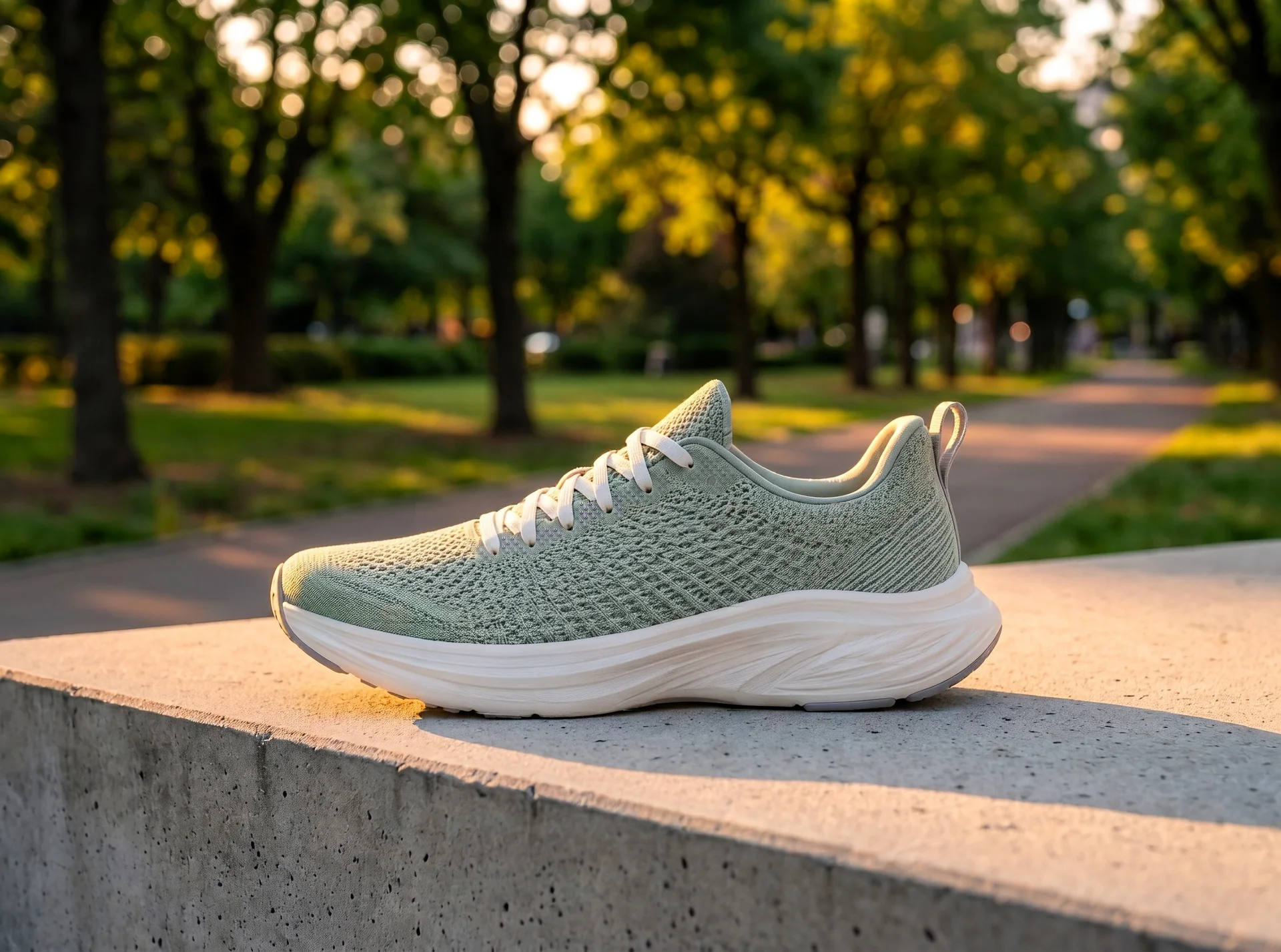
One white-background product photo became an outdoor listing image. Knit texture, sage color, midsole and heel tab stay; the shoe sits smaller in the frame.
These inputs were made with GPT Image as source material. The result was produced by one MiniMax H3 Image edit with them, in this order.
2K · 4:3 · H3Img credits for these settings 1
Original prompt (English)
Edit the supplied image. Keep the exact same sneaker: shape, knit texture, sage green color, off-white midsole, gray heel tab, laces, proportions and side-profile angle. Replace only the white background: place the sneaker on a light concrete step in a city park at golden hour, warm low sunlight from the left casting a long soft shadow, softly blurred trees and path behind. The shoe stays sharp and fully visible. Add no logo, text or other objects.Choose a reference that can answer a buyer’s questions
For a shop with a clear catalog photo, the most practical starting point is the view a customer already recognizes. Open the sneaker input and trace the upper from toe to heel. The knit, laces and heel tab are visible in profile. Those are concrete things to name in an edit. If the white sole is a selling point, look at its edge against the ground in both pictures before selecting a listing image.
Describe where the product meets the set
The shoe edit asks for a concrete step, a park path behind it and low light from the left. That gives the shadow a direction and leaves the surface under the sole unambiguous. The serum request is a harder arrangement: stone, water and the bottle all meet around its base. The result keeps the dropper and collar close to the reference, yet the glossy area reads as glass and the stone sits behind the bottle. Decide which physical relationship matters before adding reflections.
Review the image in its final crop
Compare the two sneaker views at the same displayed width. The shoe occupies less of the new frame even though the sole and heel tab remain recognizable. Check whether a customer can still see the knit on a small product card. For the serum, open the separate studio case as well. Its prompt establishes a blank label and specifies the lens and margins. This gives you a baseline for distinguishing a requested design choice from a change introduced by the edit.
Serum bottle moved to an editorial set
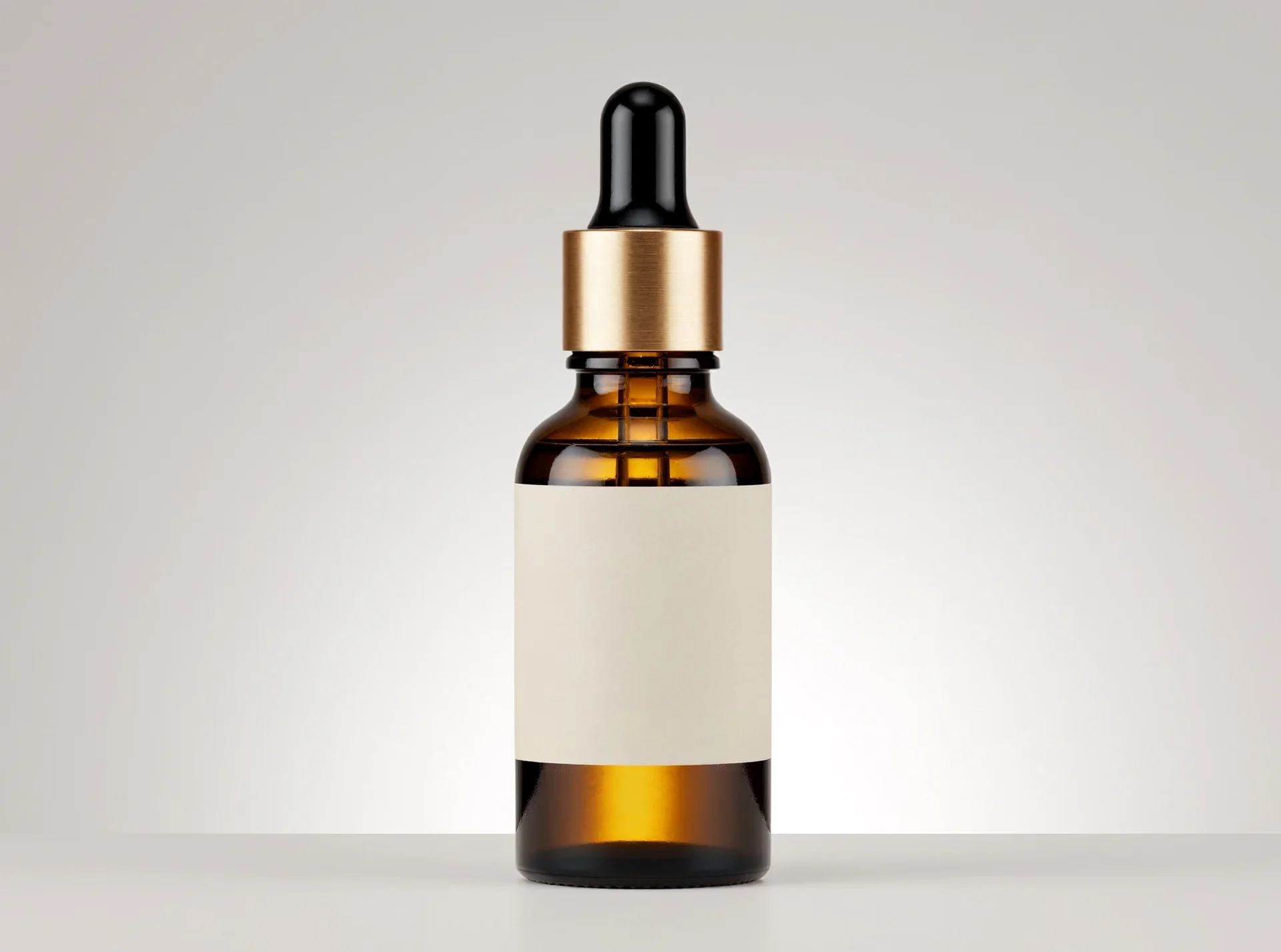
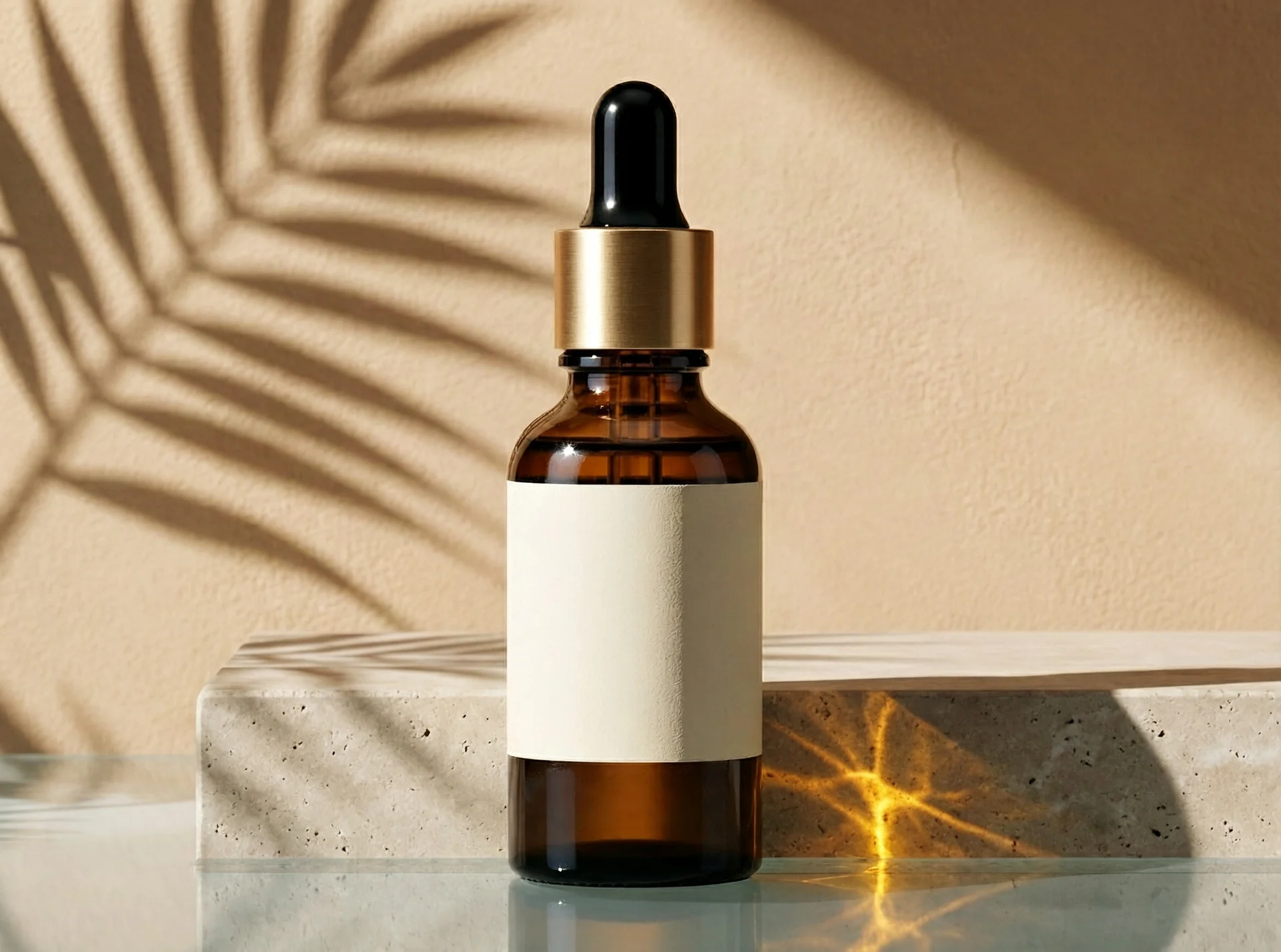
The packshot was the reference for one edit. Bottle, gold collar, dropper and blank label stay almost identical; the set becomes travertine with a palm shadow and an amber caustic. The requested water turned into a glossy glass-like surface, and the bottle stands in front of the stone rather than on it.
2K · 4:3 · H3Img credits for these settings 1
Original prompt (English)
Edit the supplied image. Keep the exact same serum bottle: amber glass, brushed gold collar, black dropper bulb, blank cream label, shape, proportions, position, scale, camera angle and framing. Replace only the seamless gray backdrop and floor with a premium editorial set: a honed travertine plinth with a thin layer of still water around its base, soft sunlight from the upper left casting a dappled palm-leaf shadow across a warm sand-colored wall. Let the amber glass throw a warm golden caustic onto the stone and a faint reflection into the water. The bottle stays sharp and fully visible. No text, logos or extra objects.Serum bottle studio packshot
A text-to-image catalog packshot: amber glass dropper bottle with a gold collar on a seamless gray backdrop, lit like a cosmetics studio shoot.
2K · 4:3 · H3Img credits for these settings 1
Original prompt (English)
Commercial beauty packshot for a premium e-commerce listing: one 30 ml amber glass serum dropper bottle with a brushed gold collar, a black rubber dropper bulb and a blank cream paper label with no printing. Centered on a seamless warm light-gray backdrop, front view at bottle mid-height, 100 mm macro lens at f/11. Large softbox key light from the left, white bounce fill from the right, a thin strip light behind outlining the glass edges. Accurate amber glass transmission with a soft golden caustic on the floor, crisp reflections on the gold collar, delicate contact shadow. The bottle fills about 55 percent of the frame height with generous even margins. High-end cosmetic catalog retouching, true colors, no props. No text, no letters, no logo, no watermark.Prompt to adapt
Edit the supplied packshot of [product]. Keep [outline, material, color, identifying details], viewing angle and occupied frame height. Replace the background with [setting]. Place the product directly on [surface], lit from [direction]. Keep it fully visible with a contact shadow. Add no text or extra objects.
Frequently asked questions
Can I use the serum example to test a printed label?
The source bottle has a blank cream label. Its shape and placement can be compared, but this example contains no lettering to verify. For a real label, compare each letter and the spacing with your reference at full size.
Which example should I load first?
Choose the sneaker for a single opaque object on a straightforward surface. Choose the serum if the decision depends on transparent glass or a reflection. In either case, keep the original packshot beside the result while selecting the version to send to your shop.